
Weapons, roster and game calendar.
Weapon-combination characters and a TL-specific calendar. Check events and organize your team within its profile.
See a real TL portal ↗FOR MULTIGAME GUILDS AND COMMUNITIES
Organize members, events and attendance. Manage points, loot, requests and tickets with the portal and both service bots, according to the features enabled for your guild.
Michi Events + Guild Platforms + portal. Setup guidance and help getting started.
ONE COMMUNITY. MULTIPLE GAMES.
Manage your community from one platform and switch between enabled game profiles. Each profile displays the tools that belong to it.
Weapon-combination characters and a TL-specific calendar. Check events and organize your team within its profile.
See a real TL portal ↗Class-based characters, combat roles and profile dashboards. Organize events, review attendance and manage points with enabled modules.
Members, permissions and management tools for your community. Ask which profiles and capabilities can be enabled for your guild’s games.
YOUR GUILD’S OPERATIONS
Choose the task you want to solve and explore how the portal, Michi Events and Guild Platforms work together.
Find the role your team needs. Review the roster and characters for the game profile.
↗02Prepare activities, organize party composition and coordinate participation between the portal and Discord.
↗03Distinguish registered and direct participants. In TL, review screenshots with OCR and confirm the result.
↗04Review point transactions and manage drops through the workflows enabled for your guild.
↗05Collect member requests, filter pending work and follow up from the officer queue.
↗06Assign owners and review statuses so support does not depend on scattered direct messages.
↗THE PRODUCT WORKFLOW
Explore the steps here. If you want a guided demo, we can walk through them together.
Set the schedule, requirements, and composition in the portal. Review the draft before publishing.
See preparation ↗Distinguish who registered, who attended, and who joined the event directly.
See real attendance ↗Review event history and results. Keep participation evidence together to review with your team.
Explore the full portal ↗REAL EXAMPLE · GARRANOCTURNA · THRONE AND LIBERTY
At Gran Aelon, 23 registered attendees and 27 participants without prior registration added up to 50 attendees. The summary separates registrations, absences, and direct participation.

Attendance review lets you inspect screenshots, detections, and merged duplicates. This historical session is already confirmed and retains the review result.

Real screenshots of the original Spanish interface.
See the attendance workflow in a demo ↗THE SERVICE YOU GET
A multigame platform for your community. The portal and both bots connect daily operations; Throne and Liberty and Aion 2 profiles adapt characters and dashboards to each game. Features depend on enabled modules.
Set up my guild ↗I have my link: subscribe ↗US$9.99USD / month per guild
Setup is manual and coordinated with you. Before paying, confirm scope, amount and billing frequency. Game-specific widgets and features vary by game and enabled profile.
SEE THE ACTUAL PRODUCT
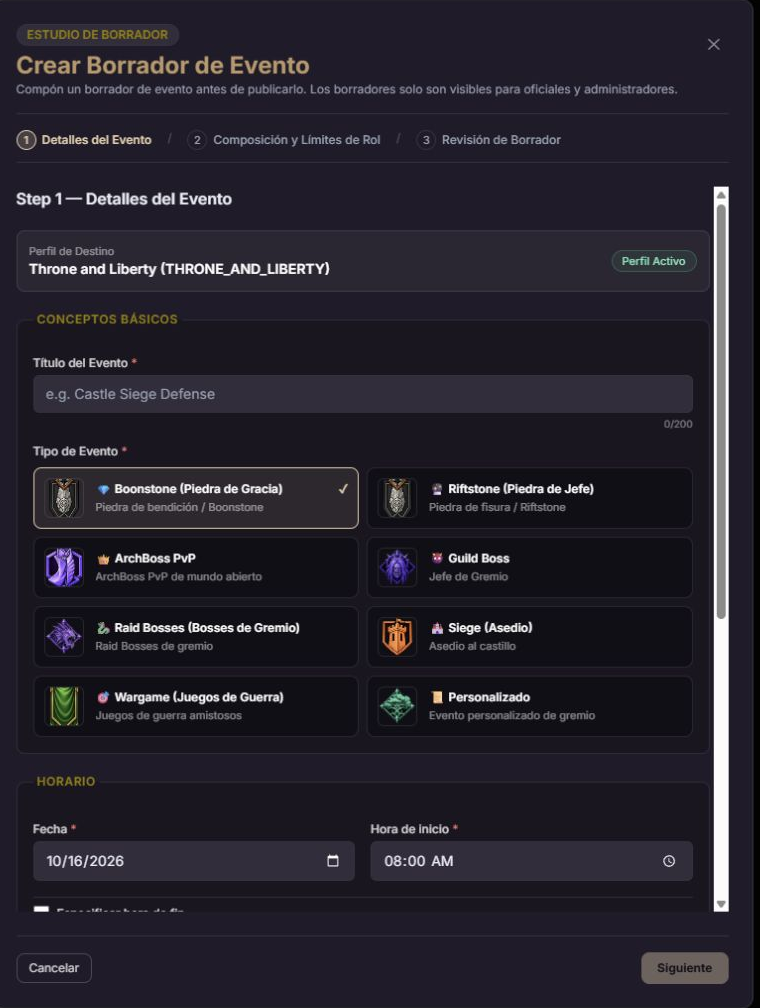
The portal's event studio guides preparation through details, composition and draft review.
MEMBERS AND ROSTER
The roster brings together members of the game profile so you can search and filter by role. The member directory lets you review memberships and platform roles according to your permissions.
REQUESTS
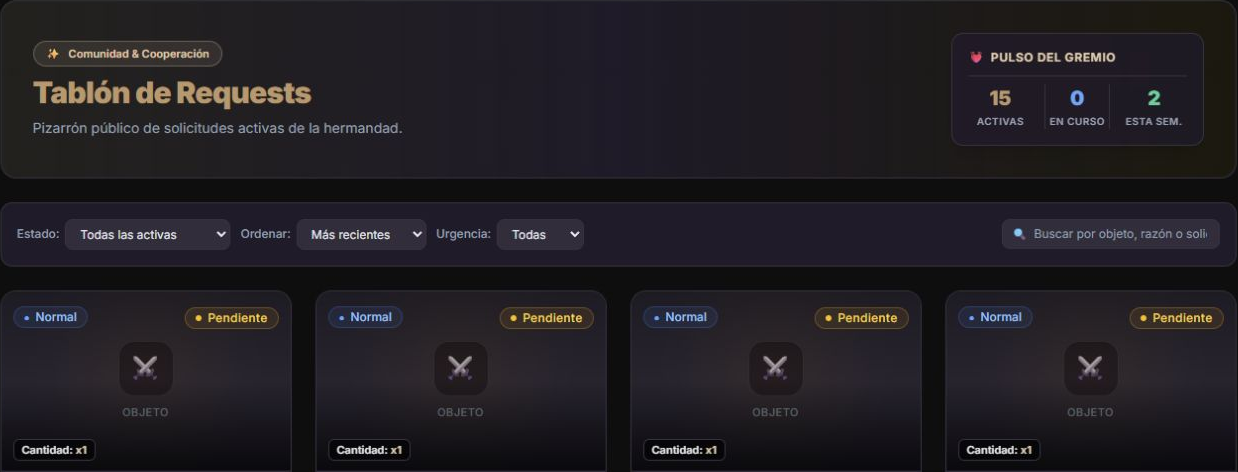
A board for active requests, a view of your own requests, and an officer queue. Find pending work without searching conversations.
See requests in a demo ↗Filter active requests and sort them to review what needs attention first.
Switch between the board, your requests, and the officer queue according to your access.
TICKETS AND SUPPORT
The ticket inbox organizes work by status, service, and assignment. Each officer can focus on their assigned tickets.
See tickets in a demo ↗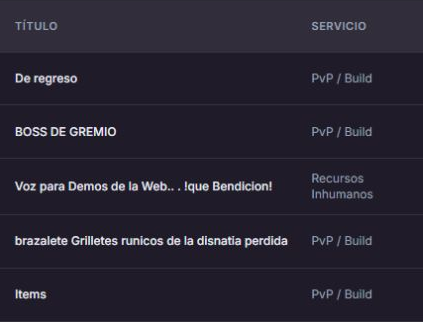
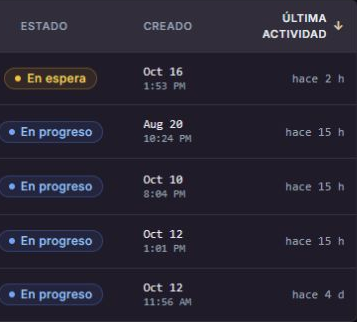
Two crops of the same list. Requesters and assignees are excluded to protect their data.
TWO BOTS. ONE COMPLETE SERVICE.
The complete service brings together both bots and the portal. In the demo, we explore how they work together and what each does for leaders, officers and members.
Let's explore it for your guildManage events, view members and track requests and tickets in the portal, according to your permissions.
Michi Events and Guild Platforms are part of the same solution. Use the interactions enabled for your guild and continue in the portal when the task requires it.
WE GET STARTED WITH YOU
We guide you from setup to your first event. Explore the workflow on this site and request a demo if you need one.
Confirm the guild, game profile, and person coordinating setup.
Know the scope and amount before paying. A demo is optional.
Manually coordinate access, permissions, and the required channels.
Prepare an activity and review the member experience and participation record together.
POINTS AND LOOT
Points and drops are part of the ecosystem. Review point transactions and use Discord loot workflows according to your guild’s configuration.
Review balances and transactions to track recorded rewards and adjustments.
Manage loot records, participants and decisions through enabled interactions. We show you the workflow available for your guild before you subscribe.
Review my guild’s workflow ↗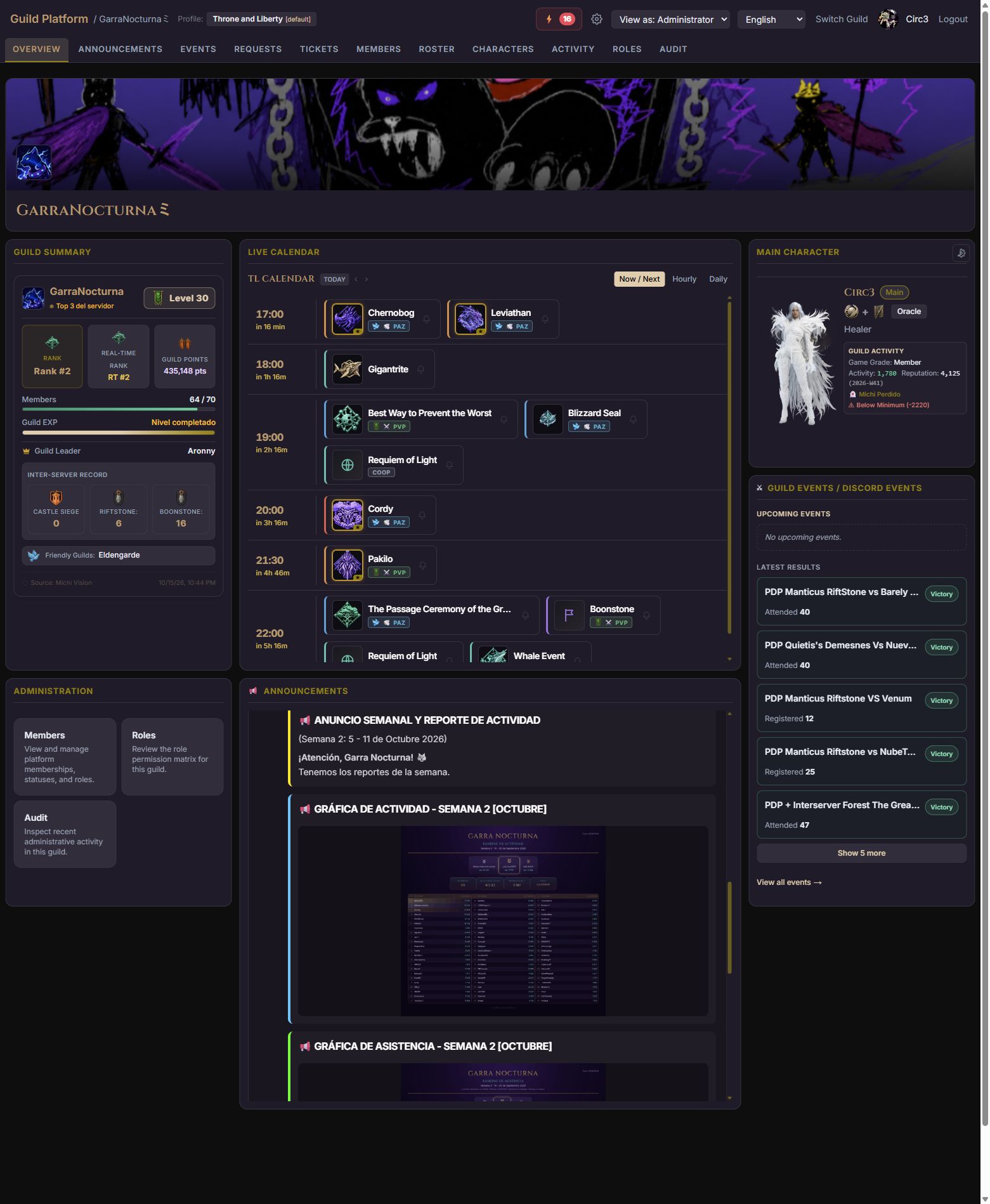
BEFORE YOU START
What to know before getting started.
No. The portal organizes guild management and connects to both service bots: Michi Events and Guild Platforms on Discord.
Yes. One guild can use multiple game profiles. Throne and Liberty has weapon-combination characters and a game-specific calendar; Aion 2 uses class-based characters and dashboards compatible with its profile. Available features, OCR and widgets depend on the game and enabled modules.
Tasks are split between the portal and Discord. For example, events are created in Guild Platform. The demo shows the current workflow for each feature.
US$9.99 per month per guild. Includes Michi Events, Guild Platforms, and the portal, with setup guidance and support if you need help.
Manual activation. Confirm the total and terms in Stripe before paying.
Onboarding includes reviewing your guild's access, permissions and setup. We guide you through that process.
Sign in to the portal with Discord. If your guild does not appear yet or you need help, ask in our Discord community.
START WITH A REAL ACTIVITY
Join our Discord community and open #demos. Tell us which guild you want to set up; we’ll coordinate access and your first event there.
Set up my guild ↗Coordinate in #demos. If you prefer a demo before starting, you can request one there.
I have my guild link: continue to payment ↗